

A lot of teams spend weeks jumping between design tools and development fixes, but building a great website doesn’t have to feel like a relay race.
With our Framer design process, we work directly inside Framer, the site you see during creation is the real site, not a static mockup. That alone eliminates the usual design-to-dev translation errors, literally upto 100%. Because we design and build on the same canvas simultaneously, we eliminate design-to-dev translation errors completely.
With this, we move fast, often cutting delivery timelines by around 60% compared to traditional workflows. Many of our projects go from concept to launch in just 2–4 weeks instead of the typical 8–12.
And after the completion, clients can edit the majority of their own content, around 90% of it, without ever touching code or waiting on us. Thus, in this blog, we’re lifting the curtain and sharing our exact workflow that is step-by-step. So you can see how we build polished, modern websites faster and with far fewer revision loops.
What You’ll Learn:
1. The complete 6-step Framer design workflow
2. Why Framer is faster than traditional development
3. How to maintain design consistency from concept to launch
4. Real-world benefits: time savings, cost reduction, client empowerment
Why We Design Directly in Framer?
We believe a website isn’t just a visual asset. It’s a living product and a first impression. With Framer, we design directly in the medium of the web, which means what you see during development is exactly what goes live. No translation issues, no developer reinterpretations, no pixel drift. Our framer design workflow allows design and functionality to evolve together, so interactions, layouts, and responsiveness are part of the build from day one. This approach gives us:
- faster turnaround times
- better control over design integrity
- real-time collaboration with clients
- the ability to iterate and refine instantly
So, instead of design first, then develop. Our philosophy is to design and develop simultaneously, in one place, using one tool. This mindset is at the core of Idea Fueled’s workflow, and it’s a big part of why our Framer builds feel so well-crafted, responsive, and cohesive once they go live.
Traditional Design vs. Our Framer Design Process
| Traditional Web Design Process | Our Framer Design workflow |
| Designed in a static tool like Figma | Designed directly on the live web canvas |
| Requires developer translation | No translation because the design is the actual site |
| Frequent misalignment between design & final build | Pixel-perfect execution from start to finish |
| Slow revisions due to back-and-forth handoff | Instant edits and live adjustments |
| Responsiveness added at the end | Responsiveness built in from day one |
| More time, more steps, more dependency | Faster, streamlined, single-environment workflow |
Winner? The Framer Design Process
Now that you’ve seen how the two approaches stack up, let’s break down the exact steps we follow inside Framer to go from concept to launch-ready site.
The Complete 6-Step Framer Design Process
Here’s the full workflow at a glance:
- Deep Discovery & Project Mapping
- Wireframing Directly Inside Framer
- Building the Brand Style System
- High-Fidelity UI & Interactions
- Testing & Launch Prep
- Handoff, Training & Client Empowerment
Step 1: Deep Discovery & Project Mapping
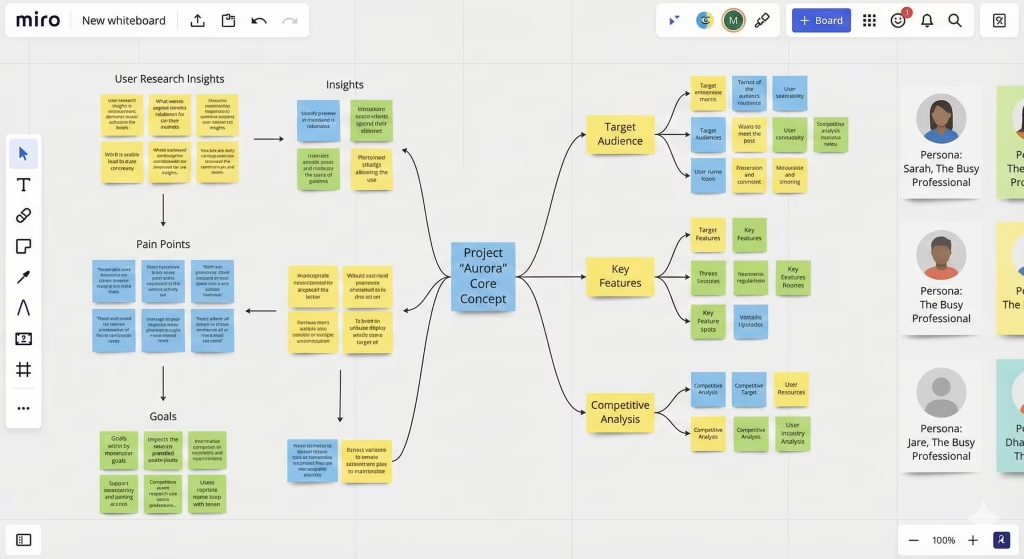
Every successful website starts with clarity. So before we touch a single frame inside Framer, we take time to understand the business and its goals deeply. We ask the right questions, such as:
- Who is the target audience and what do they expect from the site?
- What pages are needed and how should they be structured?
- Which pages require CMS functionality?
- Will the client provide content, or will our team create it?
- What visual direction and tone should we follow?
- Where will animation add meaning, and where should it stay minimal?
During this stage, we also create the sitemap using Flowmapp, which helps us plan information architecture clearly and ensure users can navigate effortlessly. This mapping sets the foundation for content flow, messaging hierarchy, and user journey.
By the end of Step 1, we align everyone, clarify goals, define the structure, and point the vision of the site in the right direction. Only then do we move into designing inside Framer.
Step 2: Wireframing Directly Inside Framer
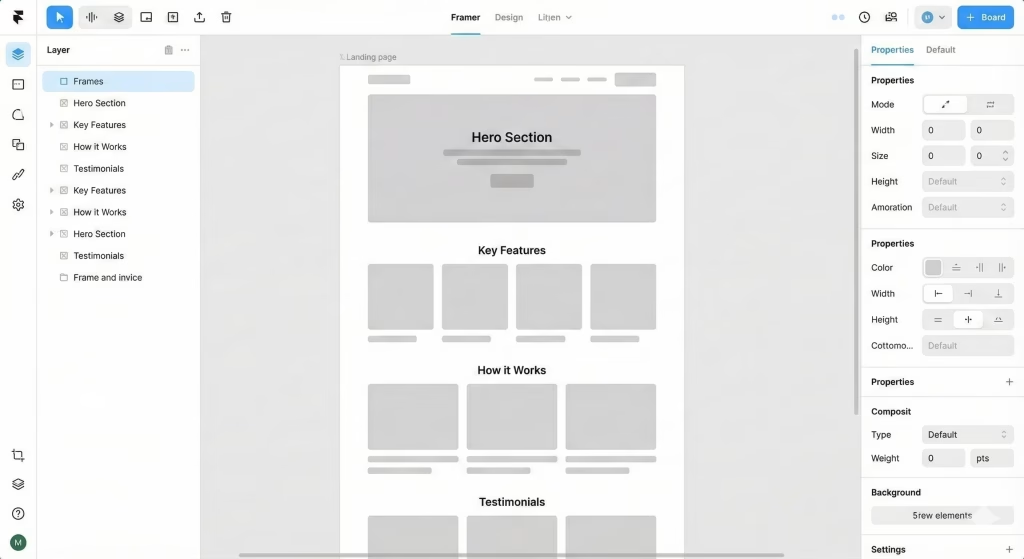
Once we set the direction, we begin shaping the layout directly inside Framer. Instead of designing in a separate tool and later converting, we build the wireframe in the same space where the real site will exist. We often start by using Framer AI to generate an initial structural draft for pages, which gives us a fast starting point. Then our team refines it using:
- Smart Stacks for clean spacing and layout alignment
- Auto-resize & constraints to ensure layouts adapt properly
- Frame-based section structuring for a modular build
- Responsive previews to test desktop, tablet, and mobile early
At this stage, we keep everything intentionally grayscale — no color, styling, or final typography, so we can focus purely on usability and layout flow. At this stage, our focus is on usability, page flow, and content hierarchy. We also use Framer’s built-in comment mode for collaborative feedback. This allows clients to review the live wireframe and share insights right on the canvas. So, there is no need for screenshots or PDF markups.
By the end of Step 2, we have a working structural skeleton of the site. So now we have an actual living layout that’s already moving toward the final product.
Step 3: Style Guide & Brand Personalization
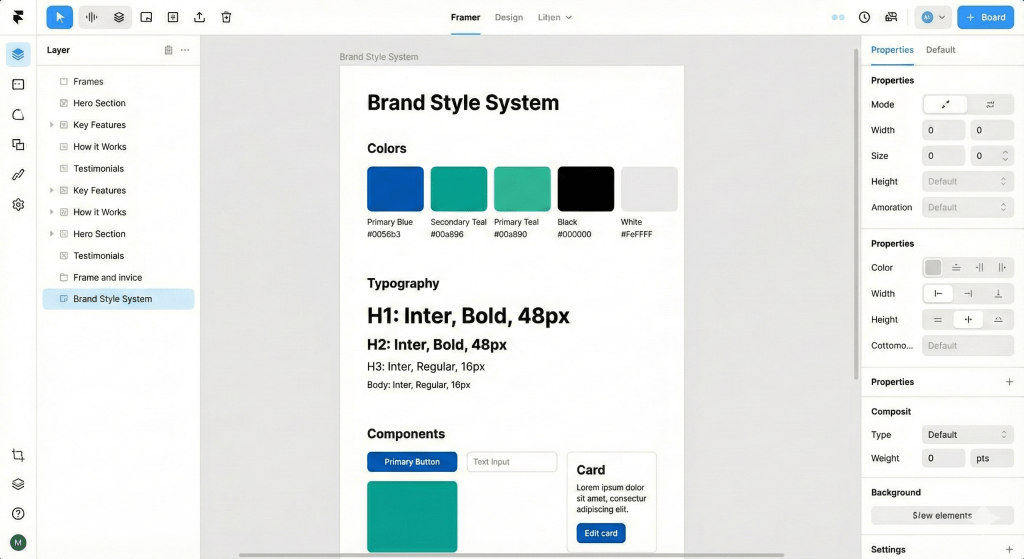
After we approve the wireframe, we move into shaping the visual personality of the site based on your brand. At this stage, we have a direct discussion with you about design direction, not assumptions, not interpretation. We ask for:
- your logo files
- preferred fonts (brand fonts or chosen alternatives)
- brand colors
- spacing style (tight, airy, balanced)
- visual tone (premium, playful, bold, minimal, elegant)
- imagery style (illustrations, photography, product visuals)
Based on these inputs, we create a style guide inside Framer where we:
- set global font styles for headings & body text
- assign the official brand color palette
- build standardized button styles
- style link behaviour and hover states
- define shadows, radii, and corner aesthetics
- apply logo positioning rules
- create reusable branded components
At this stage, the website starts feeling like the brand, not just a generic layout. We infuse the black-and-white skeleton wireframe from Step 2 with your brand identity.
Step 4: UI Mockups & Prototyping
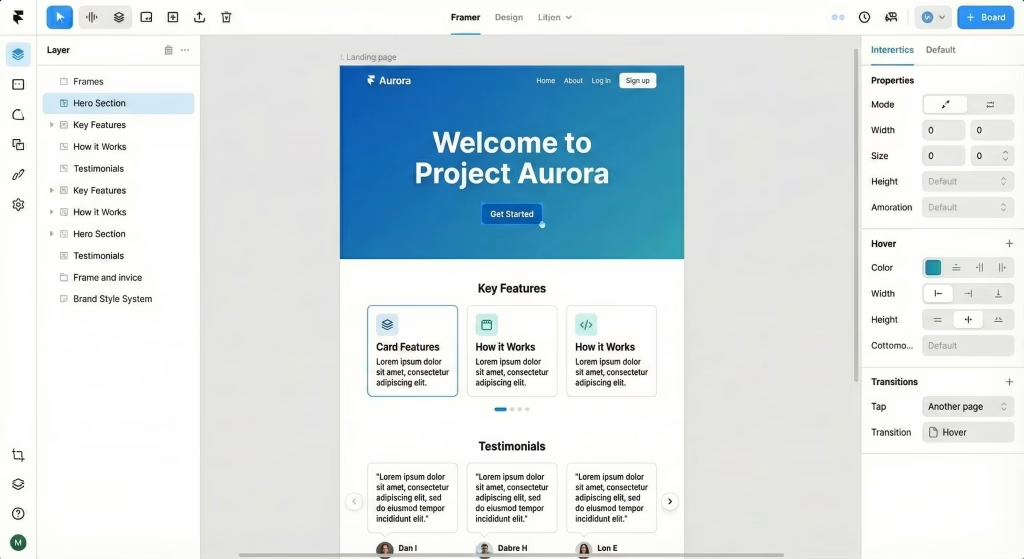
Now that we have both structure (wireframe) and style (brand guide), we start creating what looks like the real, finished website inside Framer. This is where the grayscale layout gets fully transformed into a branded and polished UI.
At this stage, we:
- apply final typography and color styling
- add graphics, icons, and real images
- refine spacing and visual balance
- build real components and content blocks
- shape the final visual hierarchy
We also introduce a functional layer and movement using Framer’s native features, such as:
- scroll-based animations
- reveal transitions
- hover interactions
- parallax effects
- motion-based cursor interactions
- component-level animations
At this stage, we create CMS collections for scalable content like:
- blogs
- testimonials
- success stories
- careers
- team profiles
- service pages
That means instead of clients editing or duplicating components manually, they simply update content in the CMS, and the system automatically updates the layout. By the end of Step 4, the website is nearly complete visually and structurally. It looks like the final site, feels like the final site, and behaves like the final site. The difference is just that it’s not launched publicly yet.
Step 5: Testing, SEO & Launch Prep
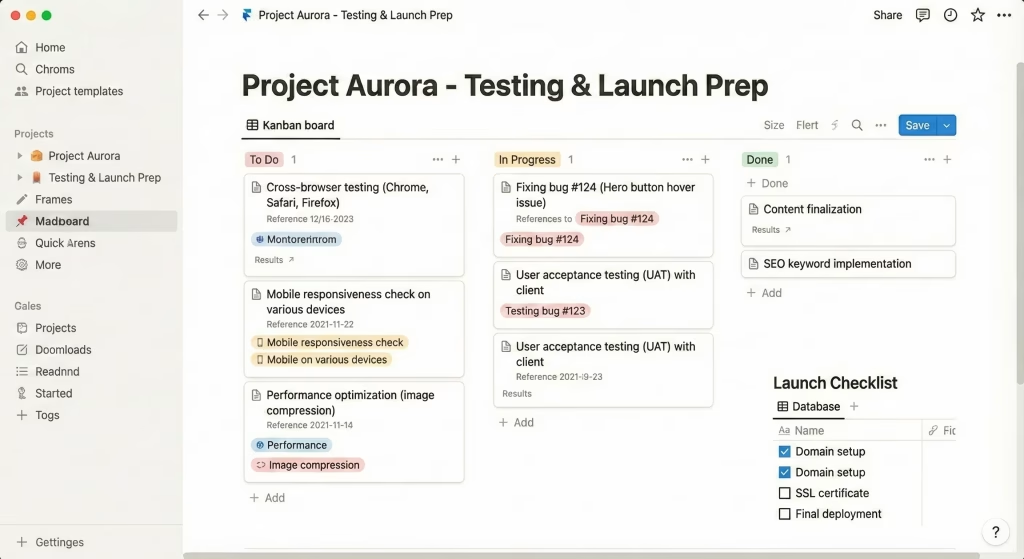
With the site visually and functionally complete, we move into final optimization and readiness checks before going live. This is where we make sure everything performs as well as it looks. Technical checks include:
- verifying responsiveness across desktop, tablet, and mobile
- checking alignment consistency and spacing
- ensuring correct link mapping and navigation flow
- optimizing images and media for site speed
- validating animation timing and user experience
- verifying CMS data flow and dynamic content logic
SEO setup directly within Framer includes:
- page titles & meta descriptions
- Open Graph data for social media previews
- alt tags for accessibility
- clean URL structure
- sitemap generation
- canonical settings
- indexing preferences
We also connect the client’s domain, and Framer takes care of SSL and hosting through its global edge network. Before launching, we share a staging link for final review. Once approved, we publish the site worldwide within seconds.
Step 6: Handoff, Training & Client Empowerment
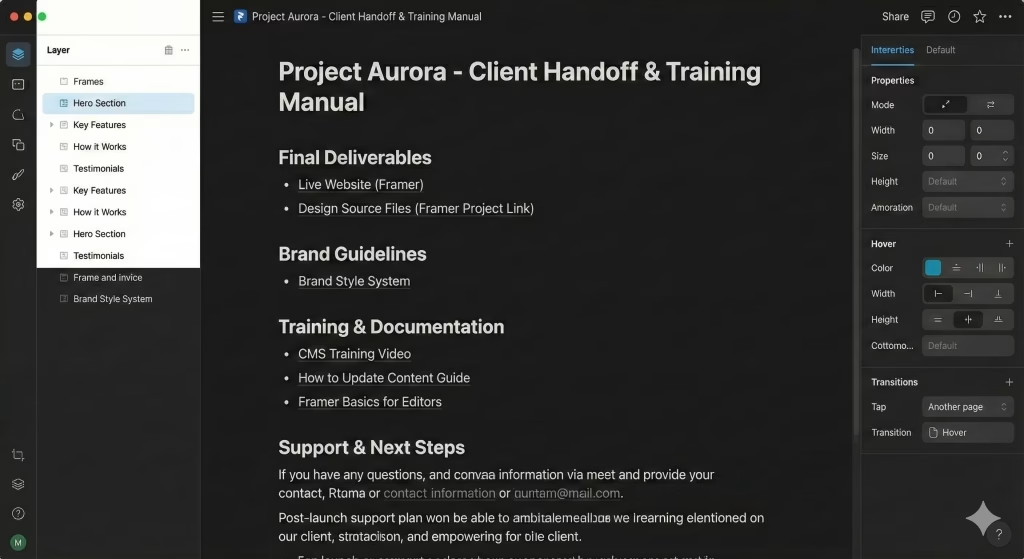
Once the site is live, we don’t just vanish. We make sure you fully understand how to manage and maintain your website moving forward. Here’s what we provide:
- full project access in Framer
- admin permissions and appropriate role setup
- walkthrough of how the CMS works
- how to edit text, images, buttons, links
- how to create new blog posts or content entries
- how to publish updates
- basic SEO maintenance knowledge
- dos & don’ts for keeping design consistency
We also record a 60-minute video training that shows exactly how your site works in real time. We give you a personal onboarding reference you can access anytime. Finally, we offer post-launch support for minor tweaks or clarifications as you get familiar with the system.
What You Actually Get at the End of This Process?
When you go through our Framer design workflow, you walk away with a complete, dependable digital asset built for long-term growth. Here’s what you get:
- We deliver a pixel-perfect website that matches the design 1:1
- A fully responsive site that works beautifully on every device
- A future-proof architecture with scalable CMS foundations
- Thorough performance and responsiveness testing
- Domain setup, SSL configuration, and launch deployment
- Analytics integration (GA4, Meta Pixel, CRM forms, etc.)
- A recorded 60-minute ownership & editing training session
- 60 days post-launch support for tweaks or clarifications
- Full transfer of ownership to your account
- A site built so you can actually manage it yourself
- No dependency on dev teams for simple changes
- A website that feels premium, modern, and brand-aligned
Our Framer Dedicated Team
Behind every successful build is a team that actually knows what they’re doing, and in our case, you get a dedicated unit built specifically for Framer execution.
- Project Manager
- UX & UI Designer
- Framer Developer
- Interaction & Animation Designer
- Content Strategist
- SEO Specialist
- CMS & Data Structuring Specialist
- Technical Launch Support
Why Framer Helps Us Move Faster & Build Better
The reason our framer design process works so efficiently is because Framer allows us to build where we design. There’s no back-and-forth between designers and developers, no misunderstandings, and no compromise on visual precision. With Framer, we get:
- Real-time design results in a live site as we build it
- Responsiveness is built naturally while designing
- Visuals and interactions are created in the same environment
- Iterations and refinements happen instantly
- CMS is intuitive and easy for clients to update
- Hosting is fast, secure, and globally optimized
This lets us focus on the experience, without code or external dependencies. The result is a polished and high-performing website delivered in a fraction of the time.
Conclusion: Let’s Build Your Website Next
In the end, our framer design workflow is all about working smarter, designing where we build, and eliminating the friction that slows traditional web projects. You get a site that’s visually strong, user-friendly, and easy to maintain long after launch. The result is a modern digital presence built with intention, precision, and care.
We genuinely enjoy building in Framer because it gives our clients a site they love and can confidently manage. So, stop waiting months for a website. Get a launch-ready Framer site in record time. Message us and let’s build something that actually moves your brand forward.
Frequently Asked Questions (FAQs)
1. What makes your Framer design process faster than traditional web development?
Our framer design process is faster because we don’t split design and development into separate phases or separate tools. In traditional workflows, designers create mockups in tools like Figma, then hand them to developers, who try to rebuild them with code, which leads to translation errors, delays, and multiple revision cycles.
In Framer, we design directly in the actual environment where the site runs. This means every layout shift, animation, and spacing decision is happening in real time on a live framework. Instead of waiting days for dev updates, we adjust instantly, preview instantly, and iterate instantly.
That compression of steps cuts the build timeline significantly while improving accuracy. The result is a quicker go-to-launch timeline with higher quality control and fewer delays stemming from handoff friction.
2. How do you handle changes or revisions during the Framer design process?
Revisions are built into our framer design process intentionally and efficiently. Because we design inside Framer, feedback isn’t abstract. Clients review the actual live site version, not static images. During development, clients can comment directly on elements through Framer’s collaboration tools, which means edits are precise and easy to understand. We also schedule specific checkpoints for review that include wireframe approval, style system approval, UI approval, and final polishing.
At each stage, revisions are faster because changes happen visually and immediately. Instead of logging tickets for developers, changes are applied directly to the canvas. This reduces miscommunication and keeps everyone aligned. Most importantly, clients can see updates in real time, which helps eliminate uncertainty and ensures the final site aligns perfectly with expectations. Our approach makes revisions smooth, transparent, and stress-free.
3. Will I be able to edit my website myself after it’s built in Framer?
Yes, one of the biggest advantages of our framer design process is that it results in a site you can confidently manage on your own. Framer’s CMS and content editing tools are built for non-technical users, so updating text, images, links, CTAs, or even creating new pages can be done without any coding. We set up the site so that key content areas are editable fields, not fixed designs.
And after launch, we record a detailed 60-minute training video walking you through every part of your specific website, how to change content, manage collections, publish updates, and maintain consistency. You won’t need a developer for basic edits, promotional content changes, or seasonal updates. This empowerment means your site remains fresh, accurate, and responsive to your business needs, without ongoing dependency on an agency or dev team.
4. Can you migrate my existing website into a new one using your framer design process?
Yes, we can rebuild and modernize an existing site using our framer design process. Whether your current website is on WordPress, Webflow, Wix, custom code, or even something outdated, we start by analyzing your existing structure, content, and user flow. We don’t simply copy-paste the old site. We actually reimagine it using modern layouts, better user experience principles, and brand-aligned styling.
During migration, we preserve SEO equity, redirects, URL structure, and page value so you don’t lose search visibility. We also identify opportunities to refine the messaging, update visuals, and improve conversion flow. Many clients use this process as a chance to refresh their brand identity and eliminate clutter that has accumulated over the years. The result is a fresh, modern, high-performing version of your website in Framer that’s easier to maintain and far more engaging for visitors.
5. What types of websites are best suited for Framer?
Framer is ideal for websites that require a strong visual identity, smooth interactions, and rapid design-to-web execution. Our framer design process works particularly well for marketing websites, SaaS products, agency sites, personal brands, portfolios, startup pages, launch landing pages, and service-based sites. If you need a site that feels modern, animated, and visually engaging, Framer excels. It’s also perfect for projects where content is relatively structured and doesn’t require heavy backend engineering.
Framer’s CMS is great for blogs, testimonials, case studies, and content sections that update regularly. If a business wants a fast, mobile-optimized site with premium visuals, without the complexity of a deep dev stack, Framer is a great fit. It offers simplicity for the editor, flexibility for the designer, and performance for the user, making it a powerful choice for contemporary web presence.
6. How do you ensure SEO optimization within your framer design process?
SEO is not something we bolt on at the end. It’s integrated throughout our framer design process. From the start, we plan content structure, URL hierarchy, and on-page messaging with search visibility in mind. Within Framer, we define meta titles, descriptions, alt tags, and social preview data for each page. We ensure proper heading structure, responsive performance, fast loading times, and semantic clarity.
Image assets are optimized for size, and we maintain a logical content flow that supports indexing and relevance. If your project includes CMS sections like blog posts or case studies, we structure them with SEO-friendly templates so your future content automatically inherits strong search fundamentals. The goal is not just to have a site that looks great, but one that ranks well, appears cleanly in search results, and generates organic traffic over time.
7. Is Framer scalable if my business grows in the future?
Yes, scalability is a core benefit of our framer design process. While the initial site might start with a small number of pages or a lean content set, Framer allows for easy expansion. We can add new CMS collections, new dynamic pages, new components, and additional sections without breaking the structure. Because everything is built using components and reusable styling systems, growth remains consistent and visually aligned.
Your site can evolve from a 5-page presence to a 50-page content ecosystem without losing coherence or quality. As your business expands, services, product lines, team, portfolio, Framer enables these additions quickly and cleanly. This makes Framer a great choice for any business that expects its digital footprint to grow, adapt, and evolve over time.
8. How does your framer design process compare to building in Webflow or WordPress?
All platforms have strengths, but our framer design process offers unique advantages for modern, design-driven websites. Webflow provides extensive control and is great for complex CMS structures, and WordPress is ideal for large content ecosystems or plugin-driven functionality. But Framer excels in pure visual execution and speed. Because we design directly in the live site environment, there’s no disconnect between mockup and final build.
Framer also enables faster collaboration, sleeker animations, and smoother responsiveness. For projects focused on modern branding, visual storytelling, and friction-free editing, Framer gives clients more creative flexibility and independence. Ultimately, we choose based on your needs, and when visual polish and speed are top priorities, Framer is often the best fit.
9. How much does a Framer website cost?
The cost of a Framer website depends on the size, complexity, and goals of the project because we don’t sell one-size-fits-all templates. Instead, we use a value-based approach that factors in the number of pages, custom interactions, CMS requirements, content strategy, and whether we’re simply building or also assisting with conversion-driven messaging and UI.
On average, a Framer project can range anywhere from a lean startup build to a fully premium, brand-driven experience. What you’re really paying for is not “just a website” but a site that looks premium, performs fast, is easy to maintain, and serves as a direct business asset. Our framer design process ensures transparent pricing with no hidden dev charges or post-launch dependency. You end up with quality that lasts and not something you’ll need to redesign again in a year.
10. Do I need coding skills to use Framer?
No, you don’t need any coding knowledge to manage or edit your website in Framer. This is one of the biggest advantages of our framer design process. After launch, 90 percent of your content including text, images, CTAs, headlines, blog entries, metadata, and layout-based content can be updated using Framer’s intuitive CMS and editor interface. If you can type and click, you can update your website.
We also provide a full handover training session and a recorded video showing exactly how to make updates on your own. The goal is that you never feel dependent on a developer for basic changes or regular text updates. With Framer, editing your website feels closer to updating a document rather than dealing with a technical system, which empowers teams, founders, and marketers to manage their digital presence confidently.
11. Can Framer integrate with my existing tools?
Yes, Framer integrates smoothly with a wide range of third-party tools, making it highly functional for modern businesses. Whether you’re using Google Analytics, GA4, Meta Pixel, HubSpot, Airtable, Mailchimp, Make or Zapier automations, or CRM-connected forms, Framer allows seamless embedding and API-based integrations. It also supports external scripts, webhooks, and custom tracking.
If your business uses scheduling tools, lead forms, payment gateways, or mailing list systems, we can either integrate them directly or route them through an automation layer. During the build, we specifically map your existing workflow so your Framer site works as the front-end layer of your ecosystem rather than a disconnected element. Our framer design process ensures your site communicates effectively with the tools you already rely on instead of forcing you to switch platform