

We’re now in the new era of web development where speed matters more than ever. Websites aren’t built once and forgotten; they evolve daily with new content, campaigns, and user insights. This shift demands a design-to-live workflow where changes happen instantly and publishing happens in real time.
The traditional design-to-development pipeline is dead because it slows teams down. The old model of designers handing files to developers, waiting for code implementation, staging tests, and deployment creates unnecessary friction. Modern brands can’t afford that delay anymore. They need a system where design, content, and execution live in the same place and everyone can contribute.
This is the backdrop for the Framer update October 2025 transformation and why teams that adopt this approach stay ahead of the competition.
Key Insights:
- Design-to-live websites in 4–6 hours, not weeks.
- 18 hours saved per project thanks to Framer’s updates.
- On-page edits happen instantly, no dev handoff needed.
- CMS integration is plug-and-play, fully dynamic.
- RTL layouts for global markets require zero manual work.
- Scheduling components can be dragged in and live immediately.
- Collaboration is now real-time across teams and clients.
- Pixel-perfect, responsive websites launch faster without compromise.
How Framer Update Changed The Entire Game?

The October 2025 Framer update didn’t just improve the tool. It fundamentally changed how teams build and publish websites. Framer moved from a prototyping tool to a full-scale production platform, where the design you create becomes a live, functional website.
Teams now build, edit, and deploy directly inside Framer without shifting between design software and development environments.
This update introduced powerful capabilities: seamless CMS integration, instant on-page editing, functional APIs, reusable components, and responsive layout automation. These features replaced the need for multiple disconnected tools and made Framer the central hub for design, development, and deployment.
For Agencies and Brands, this means:
- Less time from idea to website.
- Fewer bottlenecks between teams.
- More accuracy because there’s no translation loss between design and code.
Overall, with this update, we at Idea Fueled are covering the journey of Design to Live in just an hour. Not even exaggerating.
Framer’s October 2025 Game-Changing Updates
Let’s understand the Key Framer updates has launched:
Wireframer with CMS Support
Framer’s Wireframer can now connect with CMS. But what does that mean? It means you can spin up fully functional blog layouts or landing pages with the data fields, links, and structure ready to go. Instead of building from scratch each time, we plug in the CMS, and your design is already dynamic.
Time saved: 2–3 hours per page
On-Page Editing
Those days are gone when opening dev files or CMS dashboards to tweak content was necessary. But now, in Framer, we can edit text, images, and layouts directly on the live page. It’s literally like editing a Google Doc, but for your website.
Time saved: 2–4 hours per revision
Right-to-Left (RTL) Layouts
For brands that work globally, supporting languages like Arabic or Hebrew used to be a huge headache. But now, Framer can flip the entire layout for RTL languages automatically. Literally no manual rework. This is a big deal for businesses expanding in diverse markets such as Dubai.
Time saved: 4–6 hours per multilingual layout
Cal.com Scheduling Component
You don’t have to rely on third-party widgets for scheduling. Now, people can book a call, meeting, or demo straight from your site. Framer has added Cal.com right inside, so instead of messing around with troublesome plugins or extra tools, you just drag it in and it works. Smooth and simple.
Time saved: 2–3 hours per setup
Developer APIs That Actually Make Sense
Now, with APIs like Navigation API, Code File API, and Design Pages API, the dev team can customize, automate, and extend Framer when projects get complex. This means we’re not limited, we’re empowered.
Time saved: 3–5 hours on enterprise-level or complex builds
What did Koen Bok, the CEO of Framer, say?
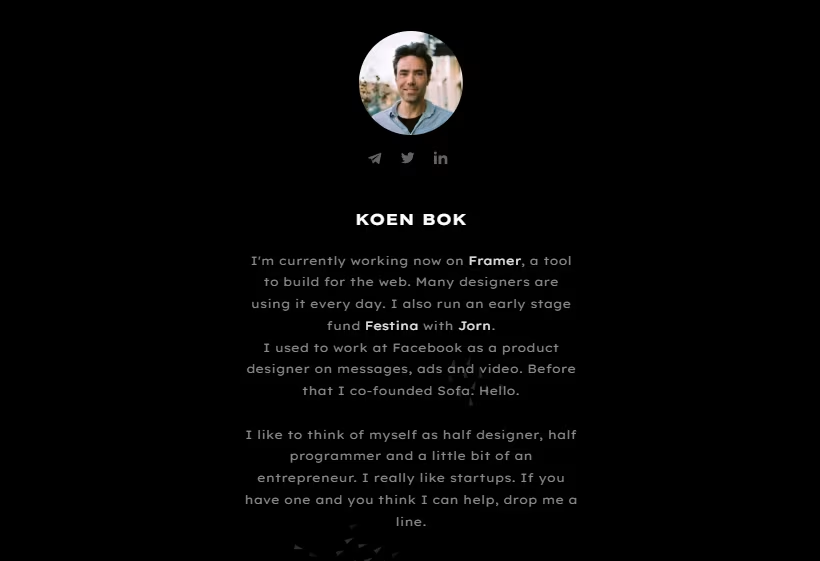
In an exclusive interview with Business Wire, Framer’s Co-founder and CEO, Koen Bok, explained the bigger vision behind the update.
He said, “This isn’t just about making edits easier, it’s about unlocking a whole new way to collaborate. With On-Page Editing, we’re laying the foundation for websites where designers build the system, but anyone can contribute with confidence.”
In simple words, Koen is saying that Framer update isn’t just giving us a shortcut for edits, it’s building a future where websites are not just locked in the hands of developers. Designers can set up the framework, but then anyone on the team or even clients can safely update and contribute. It’s collaboration made effortless.
Real Results: The Idea Fueled Time Study
When we shifted our production pipeline to Framer’s 2025 platform, the impact on delivery speed was immediate and measurable. Projects that previously required days of coordination and iteration moved into a same-day workflow. Our internal study across multiple client builds showed a consistent average of 18 hours saved per project.
Before Framer’s update:
- On-Page Editing: 4 hours
- CMS Integration: 8 hours
- RTL Layout Adjustments: 6 hours
- Scheduling Integration: 5 hours
Total: 23 hours
After Framer’s update:
- On-Page Editing: 1 hour
- CMS Integration: 2 hours
- RTL Layout Adjustments: 1 hour
- Scheduling Integration: 1 hour
Total: 5 hours
Saved 18 hours per project, almost two full workdays reclaimed for innovation, optimization, and creative experimentation.
Each feature saves time in a clear way:
- On-page editing removes revision delays and keeps changes instant
- CMS-connected components avoid duplicate design work
- RTL automation removes manual layout flipping
- Cal.com scheduling blocks eliminate plugin troubleshooting
- Developer APIs reduce manual scripting and repetitive engineering work
This also creates direct financial benefits:
- Faster work reduces cost
- Faster execution increases ROI
- Teams launch campaigns the same day instead of after multiple dev cycles
And here is the real shift in workflow:
- Teams make changes immediately
- Founders get copy updates done the same day
- Sales teams get new CTAs live fast
- Marketing teams launch landing pages without waiting
- Websites evolve like real business tools instead of static assets
The Idea Fueled Process – From Design To Live
Here’s how we make it happen at Idea Fueled:
- Discovery: We sit with the client, understand the business goals, and define what the website needs to achieve. Speed, design quality, and SEO, all aligned.
- Design in Framer: Our design team crafts beautiful layouts directly inside Framer’s canvas. No extra tools, no jumping between apps.
- Build with Design Pages: Using Framer’s design pages and CMS support, we connect content structures, add interactions, and make the site functional while still staying in the same tool.
- On-Page Editing: Once the first version is live, we and our clients can edit text/images instantly without touching complicated backend dashboards.
- Go Live in Hours: With Framer hosting and deployment, we push the site live. No waiting for separate dev environments or long testing delays.
- Iterate Fast: Campaign change tomorrow? New landing page idea? We replicate and adapt pages in minutes instead of re-coding all over again.
Real-World Case Study: From Concept to Live in One Day
A client approached us with a requirement to launch a Festive Sale landing page on extremely short notice. They needed a promotional page with messaging, discount highlights, email capture, brand visuals, and a clear CTA. Normally, this type of request would pass through multiple stages such as design handoff, development, QA, staging release, and final deployment.
With the Framer update, we approached it differently. We designed the page directly inside Framer, connected the content to the CMS, dropped in ready-to-use components, and refined the copy right on the live interface. When the client requested text changes and CTA adjustments, we updated them instantly without any developer queue.
Here is how the actual timeline looked, hour by hour:
- Hour 1: Strategy and messaging definition
- Hour 2: Layout creation inside Framer
- Hour 3: CMS integration and content binding
- Hour 4: Visual refinements and copy optimization
- Hour 5: Client review and real time edits
- Hour 6: One click deploy and the page goes live
The results were immediate. The page launched the same day and started capturing visitors within hours. The campaign drove engagement and conversions faster simply because the speed of execution allowed the brand to align perfectly with the timing of the seasonal demand.
The client feedback was straightforward. They appreciated the speed, the autonomy to edit content themselves, and the ability to iterate on messaging instantly. This improved not only their marketing performance but also their confidence in running fast-paced promotional activity without timeline anxiety.
Who Benefits Most from Framer’s New Capabilities?
Framer’s design to live website approach is not just a technical upgrade. It is a productivity multiplier for teams that need high output and fast execution. Different industries benefit in different ways, but they all gain one thing, and that is speed that matches business momentum.
- Startups

Startups ship fast and adapt faster. They use Framer to launch landing pages, refine messaging, and validate product positioning in real time. Instead of waiting on traditional development, they experiment directly inside the platform and let user data shape the final experience.
- E-commerce Brands
E-commerce teams use this rapid web development approach to push out promo pages, discount layouts, and flash-sale content instantly. They update CTAs, prices, and visuals fast, which keeps the shopping experience aligned with demand and inventory.
- Marketing Agencies

Agencies benefit massively because with the new Framer update, they can turn one build into many. They use component-based design and CMS-driven layouts to duplicate and customize pages for different clients quickly. This boosts throughput and keeps delivery consistent and efficient.
- Enterprise Teams
Enterprise teams build interactive prototypes fast using Framer’s visual development approach. Stakeholders see working interfaces instead of static mockups. This shortens discussions, clarifies intent, and speeds up decision-making.
- International Brands
Global companies expand faster with automated RTL website layouts. Instead of manually mirroring the UI for Arabic or Hebrew, they flip the layout instantly and go live confidently. This gives them a professional, localized presence without additional engineering effort.
Once teams experience this kind of velocity, older workflows feel like they belong in a different era. Framer does not just make web design easier. It makes it faster, smarter, and more aligned with the way modern digital teams actually work.
Technical Deep Dive: How These Features Actually Work
Here is where Framer’s speed advantage moves beyond marketing claims and into real functionality. The reason the platform supports true design to live website execution is because of how each feature works at the technical level.
- Understanding On-Page Editing Architecture
Framer treats every visible element as an editable component. Instead of storing content separately in a backend, it keeps content, layout, and structure unified. When you edit text or replace an image, Framer updates the live component instantly. There is no deploy or staging cycle involved, which is why edits appear immediately on-screen.
- CMS Integration: Connecting Data to Design
The CMS system in the new Framer update binds dynamic data fields directly to design elements. Designers create a layout, connect it to structured content, and Framer maintains the relationship automatically. If a team updates a CMS entry, all connected components update instantly across the site. This creates huge efficiency when building multiple blog posts or campaign pages.
- RTL Layout Automation: The Technical Magic
For RTL support, Framer reverses layout logic at the component level. Instead of simply aligning text to the right, it flips the structural grid. Icons shift direction, nested elements realign, and spacing assumptions invert. This allows Arabic and Hebrew versions of a site to maintain polish and hierarchy without manual redesigning.
- Component Library and Reusability
Framer promotes component-based design. Teams build a button, card, section, or module once, and then reuse it everywhere. If the source component changes, every instance across the site updates. This keeps design consistent and accelerates scaling. It also enables collaborative web design because multiple contributors build on the same library.
- Performance Optimization and Core Web Vitals
Framer optimizes output for speed by compressing assets, lazy-loading images, bundling scripts efficiently, and generating clean HTML and CSS. Sites load fast, interact responsively, and meet modern Core Web Vitals benchmarks. This ensures visual development doesn’t sacrifice performance.
- SEO Capabilities and Limitations
Framer supports structured metadata, alt text, canonical tags, custom URL routing, and sitemap generation. Most SEO fundamentals are native and simple to manage. For advanced SEO workflows involving high-volume content or complex schema requirements, teams may still need additional tools. However, for most marketing and branding sites, Framer provides more than enough SEO flexibility.
Conclusion
Framer’s evolution from a design tool into a full design-to-live platform is revolutionary. For a full-stack agency like Idea Fueled, it means we can deliver websites that are not only stunning but also live and functional in hours, not weeks.
So, if you’re a brand that needs speed, a startup that thrives on agility, or a business that wants no-fuss editing, this new way of building is built for you. At Idea Fueled, we’re not just following this new wave. We are literally riding it at full speed.
Next steps: just tell us what you want to build, and we’ll help you bring it to life fast.
Frequently Asked Questions (FAQs)
Is Framer suitable for enterprise-level websites?
Yes, Framer is absolutely suitable for enterprise-level websites, especially when speed, flexibility, and visual collaboration matter. Many enterprise teams use Framer to build internal tools, knowledge hubs, campaign microsites, employee portals, and branded marketing experiences because it allows instant editing and rapid deployment. For larger technical needs, teams can tap into Framer’s developer APIs to integrate custom logic, authentication, analytics pipelines, and UI extensions. For example, a global brand can build a multilingual marketing site in Framer while plugging in external systems like CRM platforms or corporate databases. Enterprise designers love the real-time editing and consistency of components, while stakeholders appreciate seeing fully functional prototypes instead of static mockups. Framer supports fast iteration and controlled scaling, making it a strong fit for enterprise communication, internal UX, marketing sites, and launch-driven content.
How does Framer handle SEO compared to WordPress?
Framer handles SEO very effectively, especially for performance-driven modern websites. It generates clean semantic HTML, supports meta tags, alt text, structured links, and allows custom URLs and sitemap generation. WordPress offers advantages for high-volume editorial content, but Framer outperforms in speed, responsiveness, and Core Web Vitals because pages load fast and ship with minimal script bloat. For example, a brand site with 50 high-impact content pages will often rank higher on Framer due to faster page loads and better interaction performance. Framer also supports Open Graph data, schema customization, and page-level SEO controls, giving marketers the tools they need to optimize for search engines. If your site depends more on high-speed performance and less on massive content archives, Framer’s SEO stack gives you a clear advantage.
Can Framer support complex e-commerce functionality?
Framer can support small and medium e-commerce needs natively, and it can integrate with more robust systems for complex setups. If you want a simple storefront, product showcase, or checkout integration, Framer works seamlessly with add-ons like Shopify embeds, Gumroad, Lemon Squeezy, or Stripe-powered solutions. For example, a brand selling 10–50 products can use Framer to create a beautifully branded shopping experience with real-time editing of product descriptions, pricing, and visuals. For larger e-commerce environments with deep inventory logic, automated stock syncing, user accounts, and regional pricing, Framer usually pairs with a dedicated backend system while serving as the front-end experience. This hybrid approach lets businesses get the best of both worlds: Framer’s dynamic design and speed plus specialized e-commerce engines for heavy transactional functionality.
What are Framer’s limitations I should know about?
Framer’s biggest limitation is that it is not built for deep backend operations or large relational databases. If your project relies on heavy backend logic, advanced content permissions, multi-user authentication layers, or custom server-side processing, you will likely need external systems running alongside Framer. For example, if you’re building a full-scale marketplace with user accounts, multi-tier dashboards, and complex data models, Framer would serve best as the visual front-end while another platform handles the logic. Framer’s sweet spot is visual development, fast iteration, page-level control, and design-driven execution. It excels when you need to build responsive UI components, marketing pages, dashboards, and branded experiences quickly, and it becomes more of a UI layer when faced with complex backend engineering demands.
Do I need coding knowledge to use Framer effectively?
No, you don’t need coding knowledge to build professional websites in Framer because the platform uses visual development that lets you structure, design, and publish sites without writing code. Designers and marketers can build entire pages, reuse components, and edit content visually. However, coding becomes an advantage when extending beyond this. For example, developers can add custom APIs, dynamic user logic, or interactive components to enhance functionality. This means Framer works for both non-technical users and technical teams. It empowers creatives to own production while giving developers space to layer on deeper capabilities. This flexibility is why Framer works well across mixed-skill teams in agencies, startups, and enterprise environments.
How does Framer pricing work for agencies?
Framer’s pricing model scales by site usage, hosting level, and team access, which makes it workable for agencies handling multiple projects. Agencies often start on team plans that allow collaboration across designers and editors, and move up when they need enterprise features. The real financial benefit comes from reduced production time, not just subscription cost. For instance, if a landing page typically takes one week to ship using traditional workflows, Framer often brings that down to one day. That time savings translates directly into cost effectiveness, allowing agencies to take on more projects or deliver faster without increasing staffing. Many agencies also use Framer to standardize reusable components and frameworks, which further reduces build time across multiple clients.
Can I export my Framer site if I want to move later?
Yes, you can export your Framer site as production-ready code if you need to migrate to another environment in the future. Framer allows exporting HTML, CSS, and supporting assets, giving you technical portability. Thicker dynamic features like CMS connections or interactive components may require re-implementation on the new platform, but your core layouts, styling, and structure remain intact. For example, if a company builds its initial site in Framer and later chooses to integrate it into a larger engineering ecosystem, the exported code provides a strong starting point. This flexibility helps brands adopt Framer with confidence, knowing they are never locked in permanently.
How does Framer compare for blog or content-heavy sites?
Framer handles blog and content-driven sites well using structured CMS collections, dynamic fields, and reusable page templates. It’s ideal for brand blogs with curated, high-impact content. However, for massive editorial systems with thousands of entries, multi-author permissions, automated ingestion, or custom publishing logic, platforms like WordPress or Ghost may provide deeper editorial control. For example, a brand that publishes two blog posts per week will find Framer’s workflow efficient and fast, while a news-style publisher with 50 posts per day will likely pair Framer with a specialized backend. The platform shines when content is strategic and design-led rather than high-volume and transactional.