

For most people mobile app design often means a few good-looking screens. The sleek interface, complementary color scheme, and amazing animation are just the tip of the iceberg. Having a bold idea for an app that could help the way businesses work, people connect, or work. For us at Idea Fueled, mobile app design is more than just visuals, it’s the blueprint for delivering intuitive, high-performing user experiences
We believe that without any strong foundation, even the brilliant app idea falls flat. Our goal is to solve a real problem, scale globally, or delight users every step of the way. For us, investing in a thoughtful, end-to-end design process isn’t optional, it’s essential. Many times, we’ve seen that a great-looking app that doesn’t function intuitively becomes a missed opportunity. That’s why every screen, interaction, and micro-moment is crafted with purpose. Because for us great design isn’t just about aesthetics, it’s about clarity, and usability.
Importance of a strong design process for successful apps
Every successful app has a design approach that is user-first, transparent, and consistent. It improves the app’s functionality in addition to its appearance. A simplified mobile app design process of any successful app is a must have because it helps in:
- Quicker cycles of development
- Reduced mistakes in design handoff
- Increased user involvement
- A unified brand experience across all platforms
How we design apps at Idea Fueled
At Idea Fueled, we have experienced designers and developers who have gained experience in developing ideas and turning them into profitable iOS and Android apps. For a long time we have been working with platforms of various complexities, allowing us to design the workflow that gives a clear picture of what it takes to design a mobile app.
1. Understanding the products and users
This is a discovery phase, and before starting with the design here we understand the requirements of the clients. For this we schedule a call session with our client for around 40-45 mins. Our this stage takes place in two parts:
Primary Research: We communicate directly with stakeholders and prospective users to learn about their needs, expectations, behaviors, and pain areas. In order to gather unfiltered, practical feedback that guides product direction, this may involve stakeholder workshops, questionnaires, or interviews.
Secondary Research: We examine pre-existing resources including user reviews, industry reports, competitor products, and product briefings. This aids in understanding the market, ideal customer personas, and locating best practices and industry benchmarks.
2. MoodBoard Gathering
Crafting a creative moodboard is the next step once we are done with the research and information gathering. At this stage, we collect visual inspiration, design references, color palettes, typography styles, UI patterns, brand imagery, and layout ideas to set the tone for the mobile app’s design look and feel. The goal is not to copy, but to spark creative direction and align visually with the product’s personality, user expectations, and brand goals.
All of these components are combined by our designers to create a unified moodboard that acts as a visual roadmap for the next steps. We typically assemble moodboards around these key aspects:
- Brand alignment – Does it reflect the product’s values and mission?
- User emotion – Should it feel playful, professional, premium, or minimal?
- Market positioning – Does it resonate with what users expect from this category?
- Consistency – Can it guide the overall visual language of the app?
Before we begin the actual screen design, these carefully chosen images assist us and the customer in jointly determining the visual tone. It’s an effective technique for bringing the team together and avoiding future misunderstandings.
3. User Flow and Information Architecture
We move on to the user flow phase after setting the visual tone with our moodboard. We can plan out how users will navigate your mobile app in this step. Based on your specifications, we develop a thorough user flow. We also incorporate any additional design insights if necessary. Along with it, we provide a strong information architecture (IA) to arrange features and content logically.
Consider it your app’s blueprint or outlining that shows what goes where, what is available when, and how everything is connected. We believe that good user flow and IA are invisible, yet powerful. This stage ensures that design and development teams have complete clarity before any screens are crafted.
4. Wireframes Creation
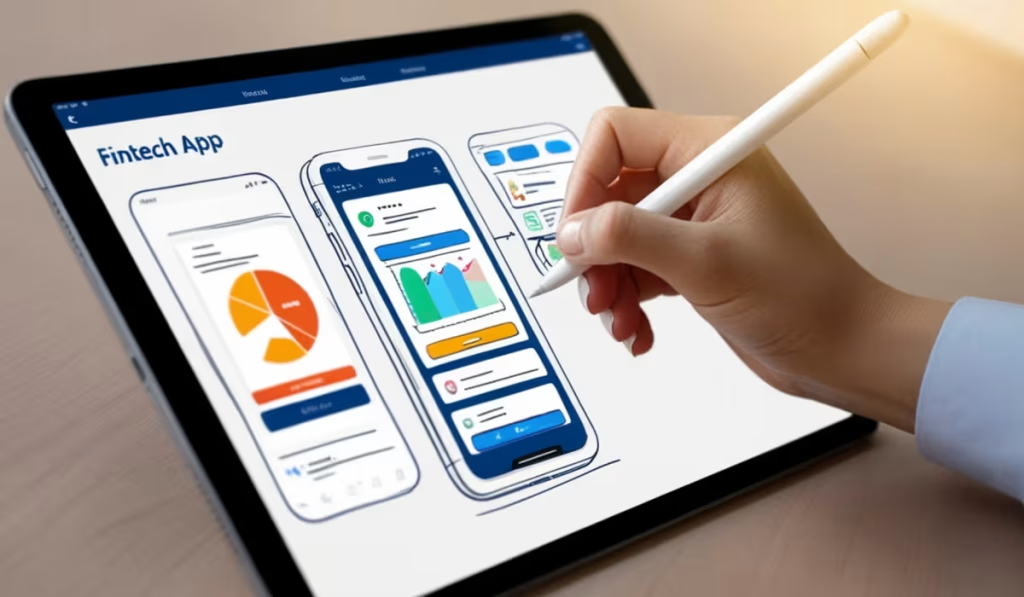
Before moving on to visuals, we will begin with wireframes, which are the basic structure of your application. These low-fidelity layouts eliminate the distractions of colors, fonts, and images and allow you to focus on structure, utility, and flow. To ensure the app’s layout meets both user goals and business objectives, we sketch out every important screen and interaction at this point.
Consider wireframes as your app’s architectural blueprints; they specify the locations of objects, the flow of users between screens, and the placement of important features. Before beginning any graphic design, wireframes enable our team and clients to quickly iterate, validate concepts early, and agree on structure. It’s a methodical and cooperative phase that guarantees your app is not only aesthetically pleasing but also works well.
5. Visual Design in Figma
Once the structure is locked in through wireframes, we move to visual design, where your app begins to take shape with colors, typography, branding, and real UI elements. Using Figma, our team creates high-fidelity mockups that are not only visually compelling but also rooted in usability and consistency.
This is where your product begins to feel real. We craft intuitive interfaces that reflect your brand personality while maintaining visual hierarchy and accessibility standards. Every component buttons, forms, navigation bars – is carefully considered to create an experience that’s functional, beautiful, and friction-free.
6. Prototyping and Feedback Loop
We create interactive prototypes that mimic how users will interact with the application once the visuals are in place, all without writing any code. These interactive prototypes provide users and stakeholders a realistic look at the finished app while they watch it in use.
However, we don’t end there. We get into a feedback cycle where we collect information from internal QA teams, stakeholders, and user testing. We may test alternative flows, improve interactions, and identify usability problems early with the aid of this iterative loop. Before development even starts, the objective is to lower risk, verify hypotheses, and make sure the app functions as consumers anticipate.
7. Preparing Design for Development
A great design means nothing if it’s not developer-ready. In this final stage, we ensure our designs are production-ready by organizing design systems, annotating specs, and creating a handoff package in Figma that’s pixel-perfect and easy to interpret.
We also collaborate directly with developers to walk them through animations, responsive behavior, and edge cases. This design-to-dev bridge ensures that nothing gets lost in translation, leading to faster implementation, fewer reworks, and a final product that’s faithful to the original vision.
Book a free design audit for your app.
Real Case Example
Case Study Kimbal
Designing a Seamless Mobile Experience for a Manufacturing Firm
Brief Overview of the Project
Kimbal, a government-affiliated manufacturing company that produces smart meters, approached us to design a mobile application aimed at digitizing their manual production reporting. With over 10,000 units produced daily and reports logged on paper, the client needed a more streamlined, real-time solution. Our goal was to create an intuitive, user-friendly app experience that enables supervisors and production heads to track, report, and manage production efficiently.
Design Challenge & Solution
Challenges 1: Supervisors were manually entering hourly production data, it was challenging to guarantee timeliness or accuracy.
Solution: We developed a digital dashboard that enables supervisors to automatically visualize the data and log hourly production in real-time.
Challenge 2: The manual approach made it challenging to promptly notify or identify production line issues.
Solution: To assist management react quickly, our app design included real-time issue reporting, allowing supervisors to submit issues together with photographs.
Challenge 3: There was no simple way to analyze production data or overall performance due to the excessive amount of paperwork.
Solution: We created designs for dashboards for production heads and supervisors alike. Production heads could evaluate efficiency trends, line comparisons, and issue statuses in grid or list views, while supervisors could monitor hourly output and report problems.
Result
- Better communication between management and supervisors.
- Reduced mistakes and delays by doing away with manual paperwork.
- Easy decision-making becomes quicker because of dashboards with analytics.
- Scalable designs that work with tablets and smartphones.
- Instant access to production metrics and problem-solving.
Kimbal has a clear direction for app development going forward. Now they have designs that make the production process user-friendly, data-rich, and action-oriented.
Key Takeaways
A successful mobile app isn’t just about looking good, it’s about aligning design decisions with your broader business goals. Every screen, flow, and interaction must support user retention, engagement, and long-term scalability. Here at Idea Fueled, we emphasize starting with strategy and user research before jumping into visuals. Understanding your users and their pain points helps us craft intuitive, delightful experiences that feel personal and purposeful. User-centricness isn’t just a design principle; it’s the foundation for building apps that solve real problems and deliver measurable results.
Let’s discuss your plan today.