

Every business that depends on organic search has the same fear when a migration comes up:
- We could lose rankings we spent years earning.
- Organic traffic could collapse overnight.
- Revenue tied to search could disappear for months.
These fears are grounded in hard evidence. Research by Numentech found that 9 out of 10 website migrations either damage SEO or produce no improvement at all. The average recovery period after a poorly executed migration is 523 days, roughly 17 months. For businesses that generate pipeline from search, that is not a dip. It is a revenue crisis.
The root problem is consistent: migrations are treated as development projects. A developer builds the new site, content is transferred, DNS is pointed at the new server, and the team assumes the rest will take care of itself. It does not. Website migration is an SEO-sensitive infrastructure change. Every structural decision during migration sends signals to search engines, and conflicting signals cause ranking volatility.
This article is a strategic roadmap, not a beginner tutorial. It is written for growth-stage companies, SaaS businesses, and content-driven brands whose organic channel directly supports revenue. If SEO matters to your business model, this is the level of preparation your migration requires.
Key Insights To know:

Migration by the numbers from Numentech / Search Engine Journal research:
- Only 10% of migrations improve SEO performance
- 50% traffic loss is common in poorly executed migrations
- Average recovery time after a bad migration: 523 days
- 42% of domain migrations never return to pre-migration traffic levels
Why Businesses Migrate to WordPress in the First Place?
Platform migration is a strategic decision, not a design preference. Growth-stage companies move to WordPress for specific operational and commercial reasons.
Common drivers for migrating to WordPress:
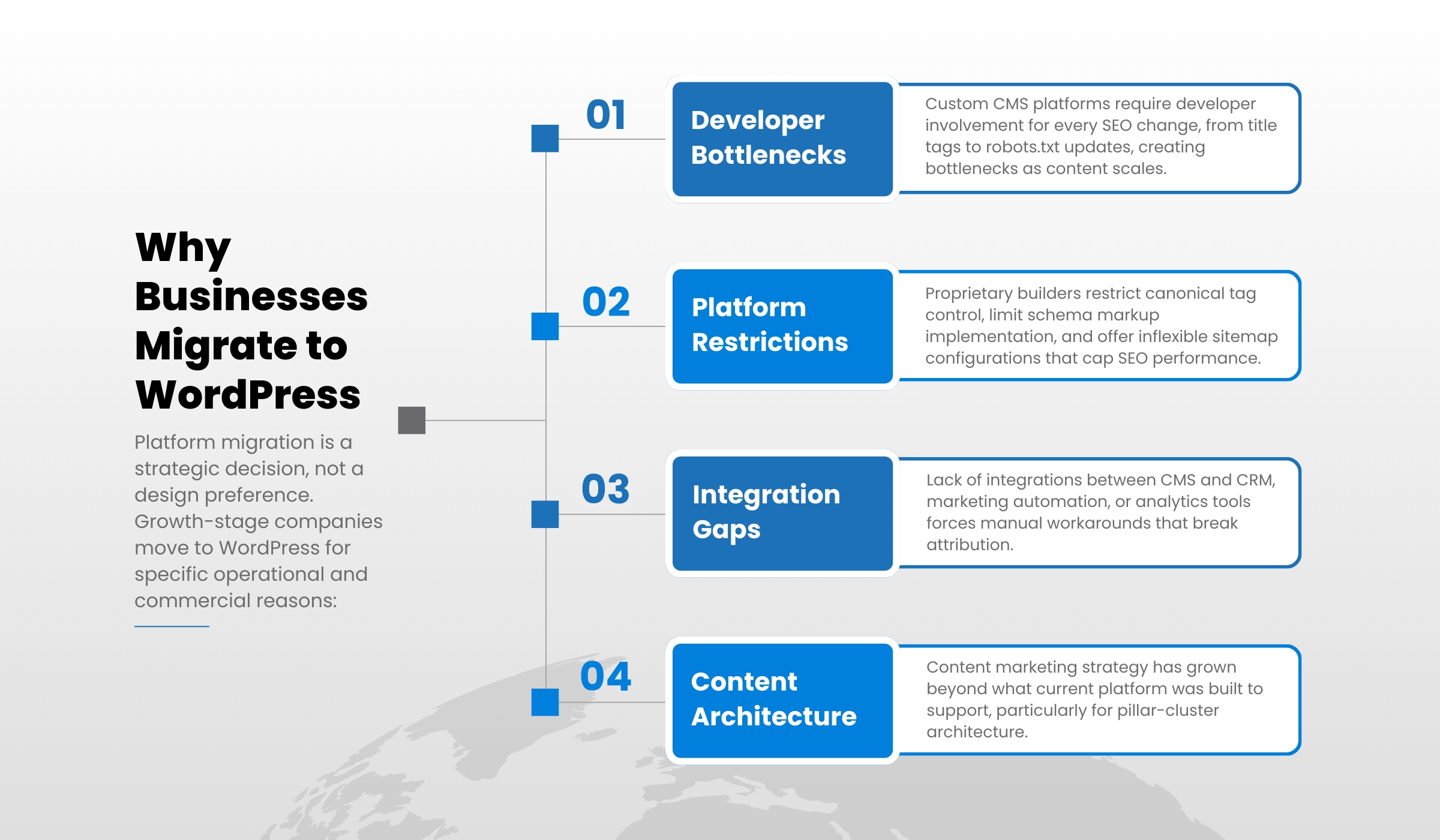
- Custom CMS platforms require developer involvement for every SEO change, from title tags to robots.txt updates, which creates a bottleneck as content needs scale.
- Proprietary website builders restrict canonical tag control, limit schema markup implementation, and offer inflexible sitemap configurations that cap SEO performance.
- Lack of integration between the current CMS and CRM, marketing automation, or analytics tools forces manual workarounds that break attribution.
- The content marketing strategy has grown beyond what the current platform was built to support, particularly for pillar-cluster content architecture.
- Long-term maintenance cost of a custom CMS at scale is significantly higher than an enterprise WordPress setup.
When WordPress does NOT make sense:
- Highly regulated industries with non-standard security or compliance requirements may need platforms purpose-built for those constraints.
- E-commerce operations with complex inventory logic, custom checkout flows, or deep ERP integration often perform better on dedicated commerce platforms.
- Enterprise organizations with hundreds of developers and existing proprietary infrastructure may find WordPress integration more expensive than the alternatives.
Migration is a growth infrastructure decision. Frame it that way internally. The moment it becomes a visual redesign project, SEO oversight gets deprioritized and the risks escalate.
The Real SEO Risks During Website Migration
When a website changes platforms, search engines do not simply update their records. Google re-evaluates the entire site: its structure, its authority signals, its content relationships, and its technical configuration. If what Google finds on the new site conflicts with what it indexed on the old one, rankings fluctuate. Here is what typically causes that conflict.
1. URL Structure Changes
- If a ranking page moves to a new URL without a 301 redirect, the ranking signal is severed. The old URL loses authority. The new URL starts from zero.
- Google’s John Mueller has stated clearly: redirecting pages to less-relevant destinations or your homepage is treated as a soft 404. The old URL loses its indexed status and the redirect passes no authority.
- Multiply this across hundreds of pages and the compounded ranking loss is severe.
2. Backlink Equity Loss
- Every external link pointing to your domain passes authority to a specific URL.
- Without precise redirect mapping, referring domains continue pointing to pages that return 404 errors. That authority is orphaned.
- A Moz case study found that even well-implemented redirect chains cause measurable drops in organic visibility at each hop, with no evidence of recovery after months of redirects being in place.
3. Broken Internal Linking
- Internal links distribute PageRank across the site and communicate topical relationships to search engines.
- When page paths change and internal links are not updated, equity fails to flow to priority pages.
- Orphan pages created by broken navigation are difficult for Googlebot to discover and tend to drop in crawl frequency.
4. Metadata and Schema Loss
- Title tags, meta descriptions, and structured data that are not explicitly migrated do not carry over automatically.
- Lost schema markup directly reduces rich result eligibility. FAQ rich results, article schema, and breadcrumb markup all require explicit reimplementation.
5. Technical Performance Regressions
- Core Web Vitals are a confirmed Google ranking factor. A poorly optimized WordPress theme can introduce significant Largest Contentful Paint and Cumulative Layout Shift regressions.
- Crawl budget disruption from unresolved redirect chains delays indexing of new content, particularly on large sites.
- Accidental noindex settings on the production site, a staging environment error carried into launch, are among the most common and most damaging technical failures.
Real-World Proof: What Happens When Migration Goes Wrong
World History Encyclopedia (worldhistory.org) provides one of the most transparent documented examples of migration-related traffic loss from a high-authority website.
In 2021, the organization migrated from its original domain, ancient.eu, to the new domain worldhistory.org. The migration was carefully planned. A 301 redirect map was built. An SEO agency was engaged to validate the plan. The staging environment was tested for months. By any standard, this was a professionally managed migration.
The outcome, in their own words from their 2021 Annual Report:
“The domain move from ancient.eu to worldhistory.org was carefully planned and executed to perfection (and was even shortlisted for the US Search Award)… yet we still suffered a significant drop in traffic that took us several months to recover from.” – World History Encyclopedia 2021 Annual Report |
From a separate interview, founder Jan van der Crabben stated that the site lost approximately 50% of web traffic, and that full recovery took a full year.
This is the key lesson: even a professionally executed, carefully planned migration on a site doing over 3 million monthly sessions experienced a 50% traffic drop and a year-long recovery. The migration was ultimately worth it for strategic brand reasons. But the traffic cost was real and sustained.
For a SaaS business or content-driven brand where organic traffic funds customer acquisition, that same outcome at smaller scale could be existential. The question is not whether some volatility will occur. The question is whether you have documented your baseline, mapped your redirects precisely, and positioned yourself to monitor and respond during the recovery window.
The Pre-Migration SEO Audit Checklist
No migration work should begin without a complete SEO baseline. The core principle here, cited consistently by SEO experts including Aleyda Solis, one of the most recognized migration specialists in the industry, is that you cannot preserve what you have not measured.
What the pre-migration audit must capture:
- Full keyword ranking export: every keyword, its ranking URL, its current position, and its estimated traffic value. This is the benchmark against which post-migration performance is measured.
- Top-performing pages identified by organic traffic volume and conversion contribution. These are your highest-risk assets during migration and require special attention in redirect mapping and post-launch monitoring.
- Backlink audit: every external link pointing to your domain, the specific URLs linked to, and the anchor text. This data establishes redirect priority. Pages with significant backlink profiles need exact URL preservation or precise 301 implementation.
- Full site crawl: every indexable URL, every redirect chain, every canonical tag, every meta tag, and every internal link relationship. Export this as a baseline comparison document.
- Current XML sitemap captured and archived for comparison with post-migration sitemap.
- Traffic and conversion benchmarking in Google Analytics and Search Console at the page level, not just aggregate. Page-level data is what identifies specific recovery problems post-launch.
- URL mapping document: a spreadsheet that maps every existing URL to its destination on the new WordPress site. This document drives every subsequent technical decision.
How to Migrate Your Website to WordPress Without Losing SEO?
The following framework applies to migrations from custom CMS platforms, proprietary builders, and other open-source systems. The sequence is intentional. Each phase depends on the completion of the one before it.
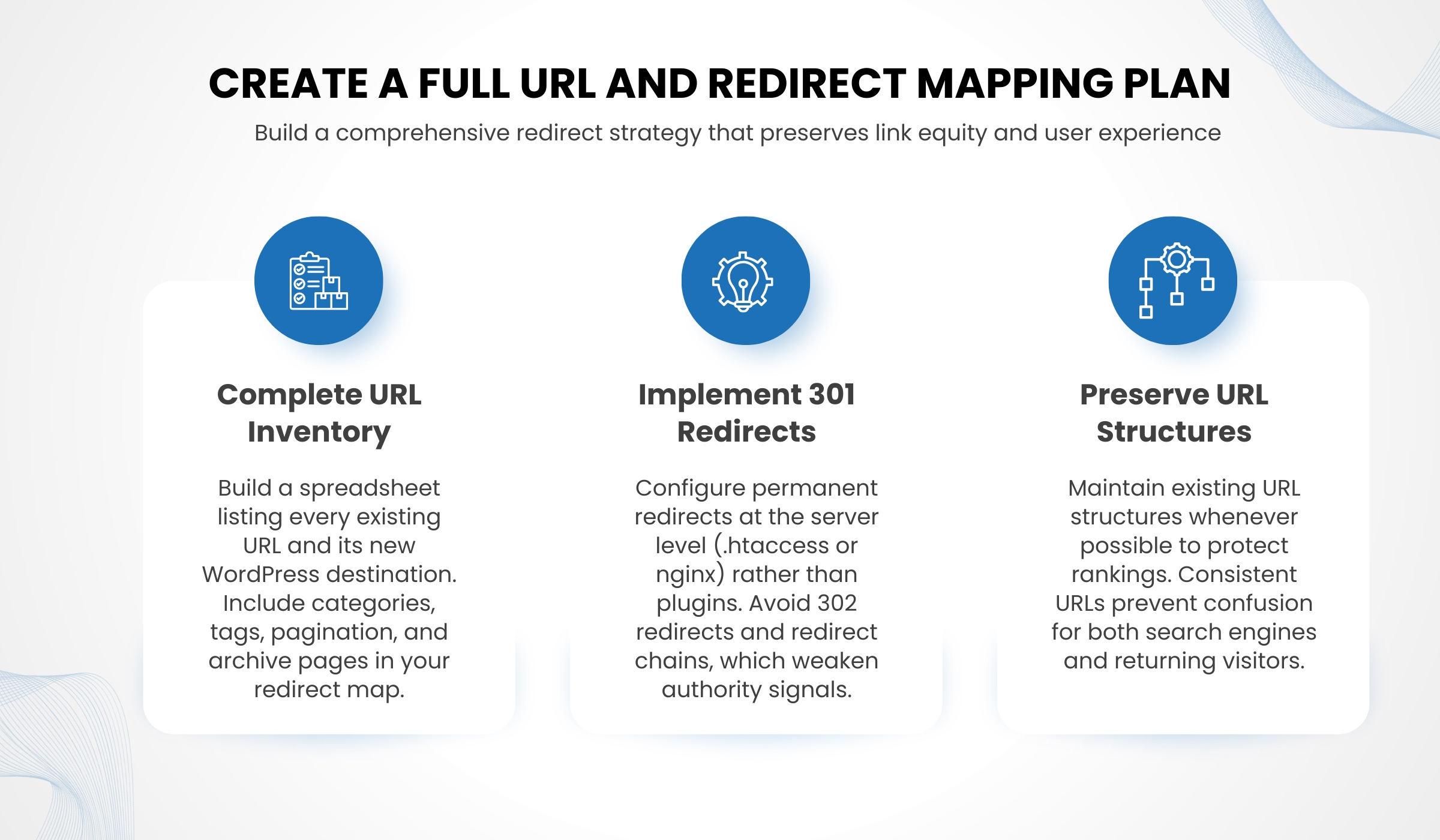
Step 1: Create a Full URL and Redirect Mapping Plan
This is the single most important technical output of the entire migration process. Without it, nothing else matters.
- Build a spreadsheet with every existing URL in column one and its new WordPress destination in column two.
- For every page that will exist at a different path, a 301 redirect is mandatory. A 302 redirect signals a temporary change to Google and does not pass authority to the destination URL.
- Preserve URL structures wherever possible. The case for changing URLs during migration is almost never strong enough to justify the ranking risk. WordPress permalink settings are flexible enough to replicate most existing structures.
- Where changes are unavoidable, implement 301 redirects at the server level using .htaccess or nginx configuration rather than through a plugin, where possible.
- Avoid redirect chains. Each additional hop adds latency and introduces risk. As John Mueller noted: redirects to less-relevant pages are treated as soft 404s, meaning no authority passes and the original URL eventually drops from the index.
- Map categories, tags, pagination pages, and archive pages explicitly. These are consistently overlooked and create crawl errors post-launch.
Step 2: Configure WordPress for Technical SEO Before Content Migration
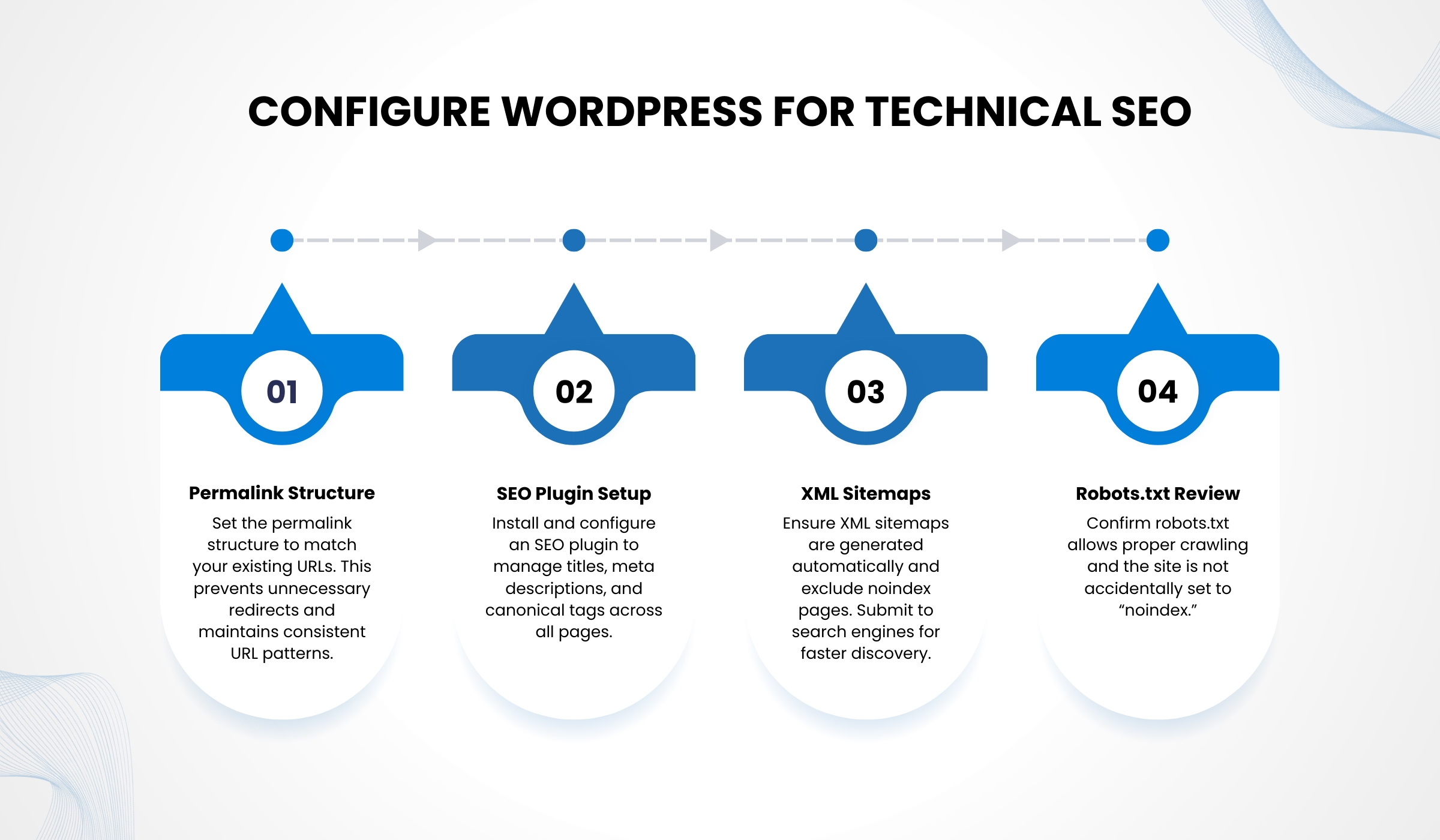
WordPress technical configuration must be locked in before any content moves. Changing permalink structure or SEO plugin settings after content migration creates a secondary migration problem.
- Set the permalink structure to match your URL mapping plan. Do not use the default WordPress permalink structure unless it matches your existing URLs.
- Install and configure your SEO plugin. Set default title tag templates and meta description fields. Verify canonical tag logic at the global level. Confirm that XML sitemaps are generated and that they exclude noindex content.
- Review robots.txt configuration carefully. The most common launch-day technical failure is a staging disallow rule carried into production, which prevents Googlebot from crawling the live site entirely.
- Verify canonical tags are rendering correctly on sample pages before content migration begins.
- Confirm that no site-wide noindex setting is active. In WordPress, a common development-phase setting that disallows indexing is frequently left enabled at launch.
Step 3: Rebuild and Preserve On-Page SEO Elements

Content migration is not copy and paste. Every on-page SEO element must be explicitly carried over and audited.
- Title tags must match the pre-migration versions exactly. Do not allow WordPress to auto-generate titles from post names if your original titles were optimized.
- Meta descriptions must be migrated explicitly. They do not transfer automatically from most platforms.
- Heading hierarchy must be verified on every page. H1 through H6 structure signals keyword relevance and page organization to search engines. Theme-based migrations frequently break heading order by styling elements that should be paragraphs as headings.
- Image alt attributes are frequently dropped or corrupted during platform migrations. Every image on a high-traffic page should be audited manually.
- Schema markup must be explicitly reimplemented. FAQ schema, article schema, breadcrumb markup, and local business structured data all require active setup in WordPress and do not migrate automatically from other platforms.
- Internal links must be reconstructed with the same anchor text context and linking relationships as the pre-migration site.
Step 4: Reconstruct Information Architecture and Internal Linking

Migration is the right moment to strengthen your site architecture, not simply replicate it. Aleyda Solis, European Search Personality of the Year 2018 and one of the leading voices on web migrations globally, consistently emphasizes this:
- Build or reinforce pillar-cluster content structures. Pillar pages should link explicitly to all cluster articles in the same topic group. Cluster articles should link back to the pillar and to related content.
- Audit for orphan pages: pages that receive no internal links. Every page that matters for SEO should be reachable through at least two internal link paths.
- Align information architecture with your buyer journey. Awareness content should link toward consideration content. Consideration pages should have clear paths to conversion. Broken conversion pathways represent both an SEO loss and a revenue loss.
- Maintaining proper URL redirects and testing them thoroughly before launch is the single most critical migration factor, per Search Engine Journal’s migration research.
Step 5: Optimize Performance Before Launch

Core Web Vitals (Largest Contentful Paint, Cumulative Layout Shift, Interaction to Next Paint) are confirmed ranking factors. A WordPress theme that introduces performance regressions from your current site is an SEO liability, not just a user experience problem.
- Benchmark the new WordPress site against your current site using PageSpeed Insights before going live. If scores are lower, resolve the gap before launch.
- Implement image compression and lazy loading for all non-critical images.
- Configure server-side or plugin-based caching. Shared hosting dramatically increases TTFB and undermines Core Web Vitals scores. For sites with significant organic traffic, managed WordPress hosting on quality infrastructure is not optional.
- If your traffic volume justifies it, implement a CDN to improve global load times for international or geographically distributed audiences.
- Do not launch a site that performs worse than what it is replacing. Performance regressions during an already volatile migration window compound ranking instability.
Step 6: Test Everything in a Staging Environment

- The staging environment must be blocked from search engine indexing via robots.txt. If it is indexed, staging content competes with your production site and creates duplicate content issues.
- Run a full crawl simulation on staging using Screaming Frog or a comparable tool. Check for broken internal links, missing redirects, incorrect canonical tags, and metadata gaps.
- Validate every 301 redirect in your mapping document. Confirm no redirect chains exceed one hop.
- Test on mobile as the primary testing environment. Google uses mobile-first indexing. A site that breaks on mobile is not ready to launch, regardless of desktop performance.
- Check browser compatibility across Chrome, Safari, and Firefox at minimum.
- Every item on the QA checklist requires sign-off before launch is authorized. This is not a formality. Migrations that go live before QA is complete generate post-launch emergencies.
Step 7: Launch and Monitor for 30 to 60 Days

The work does not end at launch. The 30 to 60 day window post-launch is when migration success or failure becomes visible in the data.
- Submit the new XML sitemap to Google Search Console on launch day.
- Confirm production robots.txt disallows nothing it should not.
- Verify the site is indexable in Search Console and that no critical errors are flagged.
- Monitor weekly for the first 60 days: crawl errors, index coverage, keyword ranking changes for top 50 pages, redirect validation for priority URLs, and conversion rate performance.
- Early warning signals that require immediate action: spikes in 404 errors, drops in index coverage, or ranking drops on pages that have significant backlink profiles.
- Act immediately on errors. As Glenn Gabe, a leading technical SEO consultant, has documented: botched redirects left in place for weeks or months become increasingly difficult to recover from. The longer errors go unresolved, the more likely the ranking loss becomes permanent.
Common WordPress Migration Mistakes to Avoid
Most migration failures follow the same patterns. Recognizing them in advance is what prevents them.
- Migrating without SEO oversight. Development expertise and SEO architecture expertise are different skill sets. A technically flawless WordPress build with a broken redirect map is a failed migration.
- Unnecessary URL changes. Unless the current URL structure is actively harming SEO, do not change it. The ranking disruption caused by unnecessary URL changes is real and sustained. It is not justified by aesthetic preference.
- Stacking changes simultaneously. Attempting a platform migration, a full visual redesign, and a content rewrite at the same time makes root cause analysis nearly impossible if rankings drop. Each change should be isolated where possible.
- Redirecting to the homepage or irrelevant pages. John Mueller has confirmed repeatedly that redirects to less-relevant pages are treated as soft 404s. The authority does not pass. The old URL eventually drops from the index.
- Missing redirect logic for category, tag, and archive pages. These are consistently overlooked and consistently cause crawl budget disruption and orphaned equity.
- Skipping performance benchmarking. Launching a WordPress site that performs worse than its predecessor on Core Web Vitals is an own goal during an already vulnerable migration window.
- No post-launch monitoring protocol. Many migration problems are recoverable if identified within the first two weeks. Companies that skip monitoring often discover problems months later, when recovery is far more difficult.
When a WordPress Migration Can Actually Improve SEO?
Migration shouldn’t only protect existing rankings. It can also strengthen them. A proper pre-migration audit reveals thin content, structural issues, and duplicate pages that dilute authority, allowing teams to consolidate content and rebuild a cleaner pillar-cluster architecture in WordPress.
With easier schema implementation, stronger canonical control, and improved Core Web Vitals on modern hosting, migrations can increase visibility and click-through rates. Companies that benefit most treat migration as a strategic rebuild, not just a platform change.
Should You Handle WordPress Migration In-House or With an Agency?
The answer depends on the scale and complexity of your organic channel. Use the table below to identify which route fits your situation.
| Factor | Handle In-House | Hire an Expert |
| Site Size | Fewer than 200 pages | Thousands of pages requiring systematic URL mapping and redirect validation |
| Organic Traffic | Modest traffic; financial exposure to a temporary ranking drop is low | Organic is a primary pipeline source; ranking loss translates directly to revenue loss |
| Backlink Profile | Limited; minimal accumulated authority at risk | Strong profile with years of link equity that is genuinely at risk if redirects are mishandled |
| Multilingual Site | Single language; no hreflang complexity | Multiple languages requiring hreflang implementation, which is one of the most frequently misconfigured migration elements |
| CRM / Integrations | Simple or no third-party integrations | Complex CRM, marketing automation, or analytics integrations where attribution and tracking continuity must be preserved |
| In-House SEO Skill | Team member with demonstrable hands-on technical SEO experience is available | No dedicated technical SEO resource in-house; general digital marketing experience is not sufficient for migration oversight |
| Cost of Getting It Wrong | Manageable; traffic exposure is limited and recovery is faster at small scale | High; 3 to 6 months of ranking recovery on revenue-generating pages will cost more than expert migration fees |
Verdict: If organic traffic drives revenue, WordPress migration isn’t a DIY project, it’s a risk management exercise best handled by an experienced agency, like Idea Fueled.
| Your rankings are too valuable to leave to chance. At Idea Fueled, we plan and execute WordPress migrations with SEO at the centre, not as an afterthought. Do not let a platform switch cost you the traffic you earned. Book a free migration assessment today. |
Conclusion
A WordPress website migration is not a visual redesign. It is an infrastructure change that carries direct SEO risk to your most important traffic-generating assets. The businesses that protect rankings during migration share a common approach:
- They document the current state completely before work begins.
- They build a complete 301 redirect map and treat it as the foundation of the entire migration.
- They configure WordPress for technical SEO before content is moved.
- They test rigorously in staging and sign off on every item before launching.
- They monitor actively for 30 to 60 days post-launch and respond immediately to signals.
The businesses that lose rankings treat migration as a development project. They discover the SEO implications after the fact, often weeks or months after launch, when recovery is significantly harder.
If your organic channel is tied to revenue, the time to bring in expert guidance is before migration begins. Strategic preparation is always less expensive than the alternative.
If you are planning a WordPress website migration and want an independent assessment of your risk exposure before any work starts, a pre-migration SEO audit is the right first step.
Frequently Asked Questions (FAQs)
1. Will I lose rankings when migrating to WordPress?
Some temporary volatility is expected in any migration. Permanent ranking loss is not inevitable. With a complete redirect map, preserved metadata, maintained site architecture, and active monitoring, most sites return to baseline within 30 to 60 days. Migrations that skip these steps frequently produce losses that do not reverse. According to Search Engine Journal research, 42% of domain migrations never fully recover.
2. How long does SEO recovery take after migration?
Well-executed migrations typically stabilize within four to eight weeks. Poorly executed migrations, based on data from a 2024 Search Engine Journal study of hundreds of migrations, took an average of 523 days to recover. Some never did.
3. Should I change URL structures during migration?
Only if the current URL structure is actively harming SEO performance. URL changes introduce real ranking risk. The default position should be to preserve existing structures in WordPress, which is technically straightforward. If changes are unavoidable, precise 301 redirects from every old URL to its new destination are non-negotiable.
4. Is WordPress better for SEO than other CMS platforms?
WordPress gives marketing teams more direct control over technical SEO elements than most proprietary platforms: title tags, canonical tags, schema markup, redirect management, sitemap configuration, and robots.txt are all manageable without engineering overhead. It is not inherently superior, but the SEO flexibility it offers is difficult to match without a purpose-built custom system.
5. How long does a WordPress migration take?
Timeline depends on site size, complexity, and pre-migration audit thoroughness. Small sites of under 200 pages can migrate safely in two to four weeks. Large, high-traffic sites with significant organic channels should allow eight to sixteen weeks. Rushing the timeline is the most common cause of poor migration outcomes.
6. Do I need an SEO specialist for migration?
For small sites with limited organic traffic exposure, an in-house team with solid technical SEO experience can manage the process. For sites where organic search is a primary revenue driver, a specialist is risk management for a business-critical asset, not an optional service.
7. What is the single biggest mistake during website migration?
Failing to implement a complete 301 redirect map. This is the most documented cause of permanent post-migration traffic loss. When ranking URLs change without proper redirects, years of accumulated authority are severed in a single launch event.
8. How do you migrate a website to WordPress without losing SEO?
Conduct a pre-migration SEO audit to document rankings, backlinks, and URL structure. Build a complete 301 redirect map before any content moves. Configure WordPress technical SEO settings before migration begins. Preserve all on-page metadata and schema markup explicitly. Optimize Core Web Vitals before launch. Test comprehensively in a staging environment. Monitor keyword rankings and crawl errors in Google Search Console for 30 to 60 days post-launch.